Conditional Access Policy Exporter

I perform best practice audits of customers’ Conditional Access (CA) policies on a regular basis. If you have ever done this, you will quickly notice that it can be a very intensive exercise due to Azure AD’s portal design. When customers only have a handful of CA policies it can be very easy and quick. However, when reviewing many policies it can quickly become impossible and overwhelming. When having to expand out every policy and sub config, it’s easy to forget all the options and what each policy did.

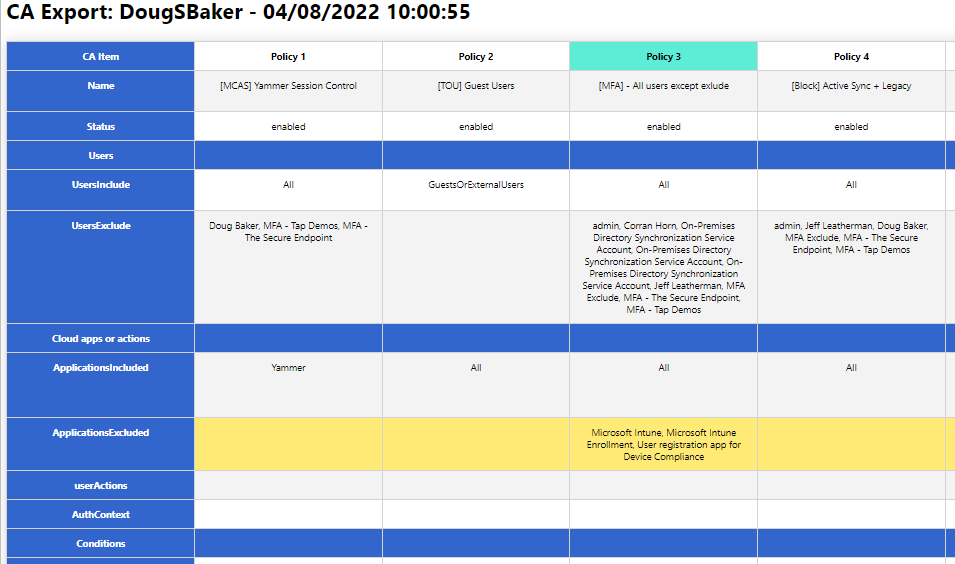
So to help with this, I wrote a Powershell script to help export these into an easier-to-audit and human-readable format. You might say, “But Doug, there are plenty of other options for exporting!” While this may be true, most of the options I found relied on GraphAPI calls that have proven difficult for clients to set up. Additionally, many of the outputs for these scripts did not help make my analysis easier. So the script below relies only on the Azure AD PowerShell module and hopefully makes it easier to read the policy configs.

Hope this helps you, and if it does send me a note and let me know. @Dougsbaker

CA-Export/Export-CaPolicy.v1.ps1 at main · dougsbaker/CA-Export (github.com)

Script Features

  • Only Requires AzureAD PowerShell Module
  • Exports to HTML Grid View
  • Ability to highlight Control / Condition

Features I am considering adding

  • Moveable Columns / Filters to hide
  • Multiple output formats
  • Export/Restore option

<#
	.SYNOPSIS
		Conditional Access Export Utility
	.DESCRIPTION
       Exports CA Policy to HTML Format for auditing/historical purposes. 

	.NOTES
		Douglas Baker
		@dougsbaker


        ############################################################################
        This sample script is not supported under any standard support program or service. 
        This sample script is provided AS IS without warranty of any kind. 
        This work is licensed under a Creative Commons Attribution 4.0 International License
        https://creativecommons.org/licenses/by-nc-sa/4.0/
        ############################################################################    
	
#>

#ExportLocation
$ExportLocation = "C:\scripts\"
$FileName = "CAPolicy.html"


$HTMLExport = $true

#Connect-AzureAD

try {
    Get-AzureADMSConditionalAccessPolicy -ErrorAction Stop > $null
    Write-host "Connected: AzureAD"
  }
  catch {
    Write-host "Connecting: AzureAD"  
   Try {
    Connect-AzureAD
   }
   Catch
   {
       Write-host "Error: Please Install AzureAD Module"
       Write-Host "Run: Install-module AzureAD"
   }
}
  
#Collect CA Policy
Write-host "Exporting: CA Policy"
$CAPolicy = Get-AzureADMSConditionalAccessPolicy
$TenantData = Get-AzureADTenantDetail
$TenantName = $TenantData.DisplayName


$date = Get-Date

$CAExport = [PSCustomObject]@()

$AdUsers = @()
$Apps = @()
#Extract Values
Write-host "Extracting: CA Policy Data"
foreach( $Policy in $CAPolicy)
{

    $IncludeUG = $null
    $IncludeUG = $Policy.Conditions.Users.IncludeUsers
    $IncludeUG +=$Policy.Conditions.Users.IncludeGroups
    $IncludeUG +=$Policy.Conditions.Users.IncludeRoles


    $ExcludeUG = $null
    $ExcludeUG = $Policy.Conditions.Users.ExcludeUsers
    $ExcludeUG +=$Policy.Conditions.Users.ExcludeGroups
    $ExcludeUG +=$Policy.Conditions.Users.ExcludeRoles
    
    
    $Apps += $Policy.Conditions.Applications.IncludeApplications
    $Apps += $Policy.Conditions.Applications.ExcludeApplications

    
    $AdUsers +=$ExcludeUG
    $AdUsers +=$IncludeUG
    
    $InclLocation = $Null
    $ExclLocation = $Null 
    $InclLocation = $Policy.Conditions.Locations.includelocations
    $ExclLocation = $Policy.Conditions.Locations.Excludelocations

    $InclPlat = $Null
    $ExclPlat = $Null 
    $InclPlat = $Policy.Conditions.Platforms.IncludePlatforms
    $ExclPlat = $Policy.Conditions.Platforms.ExcludePlatforms
    $InclDev = $null
    $ExclDev = $null
    $InclDev = $Policy.Conditions.Devices.IncludeDevices
    $ExclDev = $Policy.Conditions.Devices.ExcludeDevices
    $devFilters = $null
    $devFilters = $Policy.Conditions.Devices.DeviceFilter

    $CAExport += New-Object PSObject -Property @{ 
        Name = $Policy.DisplayName;
        Status = $Policy.State;
        Users = "";
        UsersInclude = ($IncludeUG -join ", `r`n");
        UsersExclude = ($ExcludeUG -join ", `r`n");
        'Cloud apps or actions' ="";
        ApplicationsIncluded = ($Policy.Conditions.Applications.IncludeApplications -join ", `r`n");
        ApplicationsExcluded = ($Policy.Conditions.Applications.ExcludeApplications -join ", `r`n");
        userActions = ($Policy.Conditions.Applications.IncludeUserActions -join ", `r`n");
        AuthContext = ($Policy.Conditions.Applications.IncludeAuthenticationContextClassReferences -join ", `r`n");
        Conditions = "";
        UserRisk = ($Policy.Conditions.UserRiskLevels -join ", `r`n");
        SignInRisk = ($Policy.Conditions.SignInRiskLevels -join ", `r`n");
       # Platforms = $Policy.Conditions.Platforms;
        PlatformsInclude =  ($InclPlat -join ", `r`n");
        PlatformsExclude =  ($ExclPlat -join ", `r`n");
       # Locations = $Policy.Conditions.Locations;
        LocationsIncluded = ($InclLocation -join ", `r`n");
        LocationsExcluded = ($ExclLocation -join ", `r`n");
        ClientApps = ($Policy.Conditions.ClientAppTypes -join ", `r`n");
       # Devices = $Policy.Conditions.Devices;
        DevicesIncluded = ($InclDev -join ", `r`n");
        DevicesExcluded = ($ExclDev -join ", `r`n");
        DeviceFilters =($devFilters -join ", `r`n");
        'Access Controls' = "";
     #   Grant = ($Policy.GrantControls.BuiltInControls -join ", `r`n");
        Block = if ($Policy.GrantControls.BuiltInControls -contains "Block") { "True"} else { ""}
        'Require MFA' = if ($Policy.GrantControls.BuiltInControls -contains "Mfa") { "True"} else { ""}
        'CompliantDevice' = if ($Policy.GrantControls.BuiltInControls -contains "CompliantDevice") { "True"} else { ""}
        'DomainJoinedDevice'  = if ($Policy.GrantControls.BuiltInControls -contains "DomainJoinedDevice") { "True"} else { ""}
        'CompliantApplication' = if ($Policy.GrantControls.BuiltInControls -contains "CompliantApplication") { "True"} else { ""}
        'ApprovedApplication'  = if ($Policy.GrantControls.BuiltInControls -contains "ApprovedApplication") { "True"} else { ""}
        'PasswordChange' = if ($Policy.GrantControls.BuiltInControls -contains "PasswordChange") { "True"} else { ""}
        TermsOfUse = if ($Policy.GrantControls.TermsOfUse -ne $null) {"True"} else {""};
        CustomControls =  if ($Policy.GrantControls.CustomAuthenticationFactors -ne $null) {"True"} else {""};
        GrantOperator = $Policy.GrantControls._Operator
       # Session = $Policy.SessionControls
        ApplicationEnforcedRestrictions = $Policy.SessionControls.ApplicationEnforcedRestrictions.IsEnabled
        CloudAppSecurity                = $Policy.SessionControls.CloudAppSecurity.IsEnabled
        PersistentBrowser               = $Policy.SessionControls.PersistentBrowser.Mode
        SignInFrequency                 = "$($Policy.SessionControls.SignInFrequency.Value) $($conditionalAccessPolicy.SessionControls.SignInFrequency.Type)"
    }
  
    
}

#Swith user/group Guid to display names
    Write-host "Converting: AzureAD Guid"
    #Filter out Objects
    $ADsearch = $AdUsers | Where-Object {$_ -ne 'All' -and $_ -ne 'GuestsOrExternalUsers' -and $_ -ne 'None'}
    $cajson =  $CAExport | ConvertTo-Json -Depth 4
    $AdNames =@{}
    Get-AzureADObjectByObjectId -ObjectIds $ADsearch |ForEach-Object{ 
        $obj = $_.ObjectId
        $disp = $_.DisplayName
        $AdNames.$obj=$disp
        $cajson = $cajson -replace "$obj", "$disp"
    }
    $CAExport = $cajson |ConvertFrom-Json
#Switch Apps Guid with Display names
     $allApps =  Get-AzureADServicePrincipal -All $true 
   $allApps | Where-Object{ $_.AppId -in $Apps} | ForEach-Object{
       $obj = $_.AppId
       $disp =$_.DisplayName
       $cajson = $cajson -replace "$obj", "$disp"
   }
#switch named location Guid for Display Names
    Get-AzureADMSNamedLocationPolicy| ForEach-Object{
        $obj = $_.Id
        $disp =$_.DisplayName
        $cajson = $cajson -replace "$obj", "$disp"
    }
#Switch Roles Guid to Names
    Get-AzureADDirectoryRole| ForEach-Object{
        $obj = $_.RoleTemplateId
        $disp =$_.DisplayName
        $cajson = $cajson -replace "$obj", "$disp"
    }
   $CAExport = $cajson |ConvertFrom-Json

#Export Setup
    Write-host "Pivoting: CA to Export Format"
    $pivot = @()
    $rowItem = New-Object PSObject
    $rowitem | Add-Member -type NoteProperty -Name 'CA Item' -Value "row1"
    $Pcount = 1
    foreach($CA in $CAExport)
    {
        $rowitem | Add-Member -type NoteProperty -Name "Policy $pcount" -Value "row1"
                #$ca.Name
                $pcount += 1
    }
    $pivot += $rowItem
  #  $pivot | Out-GridView
#Add Data to Report
$Rows = $CAExport | Get-Member | Where-Object {$_.MemberType -eq "NoteProperty"}
$Rows| ForEach-Object{
    $rowItem = New-Object PSObject
    $rowname = $_.Name
    $rowitem | Add-Member -type NoteProperty -Name 'CA Item' -Value $_.Name
    $Pcount = 1
    foreach($CA in $CAExport)
    {
        $ca | Get-Member | Where-Object {$_.MemberType -eq "NoteProperty"} | ForEach-Object {
            $a = $_.name
            $b = $ca.$a
            if ($a -eq $rowname) {
              $rowitem | Add-Member -type NoteProperty -Name "Policy $pcount" -Value $b  
            }
            
        }
      # $ca.UsersInclude
      $pcount += 1
    }
    $pivot += $rowItem
}
#Set Row Order
$sort = "Name","Status","Users","UsersInclude","UsersExclude","Cloud apps or actions", "ApplicationsIncluded","ApplicationsExcluded",`
        "userActions","AuthContext","Conditions", "UserRisk","SignInRisk","PlatformsInclude","PlatformsExclude","ClientApps", "LocationsIncluded",`
        "LocationsExcluded","Devices","DevicesIncluded","DevicesExcluded","DeviceFilters", "Access Controls", "Block", "Require MFA", "CompliantDevice",`
        "DomainJoinedDevice","CompliantApplication", "ApprovedApplication","PasswordChange", "TermsOfUse", "CustomControls", "GrantOperator", `
        "Session","ApplicationEnforcedRestrictions", "CloudAppSecurity", "PersistentBrowser", "SignInFrequency"


if ($HTMLExport) {
    Write-host "Saving to File: HTML"
$jquery = '  <script src="https://ajax.googleapis.com/ajax/libs/jquery/3.5.1/jquery.min.js"></script>
    <script>
    $(document).ready(function(){
        $("tr").click(function(){
        if(!$(this).hasClass("selected")){
            $(this).addClass("selected");
        } else {
            $(this).removeClass("selected");
        }

        });
        $("th").click(function(){
        if(!$(this).hasClass("colselected")){
            $(this).addClass("colselected");
        } else {
            $(this).removeClass("colselected");
        }

        });
    });
    </script>'
$html = "<html><head><base href='https://docs.microsoft.com/' target='_blank'>
                $jquery<style>
                .title{
                    display: block;
                    font-size: 2em;
                    margin-block-start: 0.67em;
                    margin-block-end: 0.67em;
                    margin-inline-start: 0px;
                    margin-inline-end: 0px;
                    font-weight: bold;
                    font-family: Segoe UI;
                    
                }
                table{
                    border-collapse: collapse;
                    margin: 25px 0;
                    font-size: 0.9em;
                    font-family: Segoe UI;
                    min-width: 400px;
                    box-shadow: 0 0 20px rgba(0, 0, 0, 0.15) ;
                    text-align: center;
               }
                thead tr {
                    background-color: #009879;
                    color: #ffffff;
                    text-align: left;
               }
                th, td {
                    min-width: 250px;
                    padding: 12px 15px;
                    border: 1px solid lightgray;
                    vertical-align: top;
               }
               
                td {
                    vertical-align: top;
               }
                tbody tr {
                    border-bottom: 1px solid #dddddd;
               }
                tbody tr:nth-of-type(even) {
                    background-color: #f3f3f3;
               }
               tbody tr:nth-of-type(4), tbody tr:nth-of-type(7), tbody tr:nth-of-type(12), tbody tr:nth-of-type(23){
                    background-color: #36c;
                    text-aling:left !important
                }
                tbody tr:last-of-type {
                    border-bottom: 2px solid #009879;
               }
               tr:hover{
                background-color: #ffea76!important;
            }
            
            .selected:not(th){
                background-color:#ffea76!important;
                
                }
                th{
                   background-color:white !important;
                }
                .colselected {
              
              background-color: rgb(93, 236, 213)!important;
              
              }
              table tr th:first-child,table tr td:first-child {
                    position: sticky;
                    inset-inline-start: 0; 
                    background-color: #36c!important;
                    Color: #fff;
                    font-weight: bolder;
                    text-align: center;
               }
                </style></head><body> <div class='Title'>CA Export: $Tenantname - $Date </div>"
                

    Write-host "Launching: Web Browser"           
    $Launch = $ExportLocation+$FileName
    $HTML += $pivot  | Where-Object {$_."CA Item" -ne 'row1' } | Sort-object { $sort.IndexOf($_."CA Item") }| convertto-html -Fragment
    $HTML | Out-File $Launch
        start-process $Launch
}
Microsoft Chrome Extensions

Do you still have users that love their Chrome? Haven’t convinced the org to switch to the new Edge Chromium? Want to make sure the user/security experience with Chrome matches the new features built into edge? Well if you do you are going to need to deploy some Microsoft Chrome Extensions. To help with that I made the below list of Chrome extensions you may want to consider deploying to your users. Let me know if I missed any you deploy?

The Best

Windows 10 Accounts

If you are using AzureAD for Authentication you are going to want this deployed to your Chrome users. With this addon deployed your users will auto be signed in to your Enterprise Apps. Additionally, if you are any device based auth from Win10 you will need this feature to pass the compliance status. https://chrome.google.com/webstore/detail/windows-10-accounts/ppnbnpeolgkicgegkbkbjmhlideopiji?hl=en

Microsoft Compliance Extension

Taking advantage of the great Endpoint DLP features offered with the MSFT compliance stack? Well if you are you should deploy the compliance extension. This gives Chrome the ability to detect what website your end-user is uploading your content to and block based on that. Without this Chrome defaults to blocking all sensitive data from transferring via the browser instead of being able to say upload to corporate SPO is allowed. https://chrome.google.com/webstore/detail/microsoft-compliance-exte/echcggldkblhodogklpincgchnpgcdco

Microsoft Defender Browser Protection / SmartScreen

If you use MDE you should deploy this extension to Chrome. This gives the end-user a warning about why the page they were trying to visit was blocked. This is essentially the equivalent of enabling SmartScreen in Edge. https://chrome.google.com/webstore/detail/microsoft-defender-browse/bkbeeeffjjeopflfhgeknacdieedcoml?hl=en

My Apps Secure Sign-in Extension

My Apps is an underrated extension, its primary focus is user experience. It lets you make the SSO apps readily available to your users. But also has some additional hidden benefits. The first is it makes password-based SSO available for your users, a huge win if you have a Corporate account you want available to your team. The Second is for admins it’s a great tool for debugging SAML Sign-on issues. https://chrome.google.com/webstore/detail/my-apps-secure-sign-in-ex/ggjhpefgjjfobnfoldnjipclpcfbgbhl?hl=en

Deploying Via Intune

Let me pause right here and say the above 4 are the go-to extensions that I think should be deployed. The rest of the list is interesting but are more pocket scenarios that I don’t see a lot of orgs using/wanting. If you decide to use the above apps your next question should be how do I deploy this to my end-users in mass? Well for me the easiest is deploying them via Intune, I used the directions from Lucas Cantor. Ingesting the ADMX for Chrome was very easy. The force deploying of the extensions, not so much. This is because parsing the extensions into the correct form can be difficult. So if you want to deploy the above 4 here is the OMA URI you can use to save yourself some time.

<enabled/> <data id="ExtensionInstallForcelistDesc" value="1&#xF000;ppnbnpeolgkicgegkbkbjmhlideopiji;https://clients2.google.com/service/update2/crx&#xF000;2&#xF000;bkbeeeffjjeopflfhgeknacdieedcoml;https://clients2.google.com/service/update2/crx&#xF000;3&#xF000;echcggldkblhodogklpincgchnpgcdco&#xF000;4&#xF000;ggjhpefgjjfobnfoldnjipclpcfbgbhl"/>

The Rest

One Note Web Clipper

Who doesnt love OneNote? I use this extension all the time to grab parts of articles for reference later. But I dont think all my users would want this. https://chrome.google.com/webstore/detail/onenote-web-clipper/gojbdfnpnhogfdgjbigejoaolejmgdhk

App Guard

App Guard is a very cool feature that you can use in Windows to Virtualize an app into an isolated container. The capability is available in Chrome with this extension. This isn’t in the above list because App Guard can be a very unwieldy deployment, that I just don’t see many orgs using. https://chrome.google.com/webstore/detail/application-guard-extensi/mfjnknhkkiafjajicegabkbimfhplplj?hl=en

Outlook

This is an interesting one, I have used it a little and it’s nice for quickly responding to emails, But mostly i use it for quickly checking what’s coming up in my calendar. https://chrome.google.com/webstore/detail/microsoft-outlook/ajanlknhcmbhbdafadmkobjnfkhdiegm

Office Extension

Similar to the My Apps Extension, this provides a nice way to launch Word and PowerPoint. From a design perspective, this is a superior experience, I wish I could collapse the MySign ins to this one but unfortunately, it doesn’t support all the same features.

https://chrome.google.com/webstore/detail/office/ndjpnladcallmjemlbaebfadecfhkepb?hl=en

Autofill – Non Corporate

This app allows end-users to save passwords in authenticator on their phone then replay them in chrome. This is an interesting app, that I am thinking may add more value in the future. Unfortunately, this is only available for non Corporate Microsoft accounts, so @outlook.com accounts. https://chrome.google.com/webstore/detail/microsoft-autofill/fiedbfgcleddlbcmgdigjgdfcggjcion?hl=en

Should I Integrate SharePoint sharing with Azure AD B2B

I was recently looking at new options available for controlling SharePoint and ran in into an interesting new feature I have never deployed. Specifically the Azure AD B2B integration with SharePoint and OneDrive. Azure AD B2B integration for SharePoint & OneDrive – SharePoint in Microsoft 365 | Microsoft Docs

Seems like an easy enough feature to turn on. Just 2 lines of PowerShell and I am set. But the big question I struggled with when researching this was should I enable this for my tenant? When I do what will be the change in the user experience? Are there any issues/got ya’s when this is enabled? Below I attempt to explorer those questions so you don’t have to.

Long Story Short: You should probably turn the feature on. From a security perspective, you should definitely turn this on. For your guests, it will be a little more cumbersome, but I think the security controls win out. Finally, If you do turn it on I would definitely also integrate AzureAD to support External Identity providers. This will let your users sign in with their external Identity instead of relying on Passcode via email.

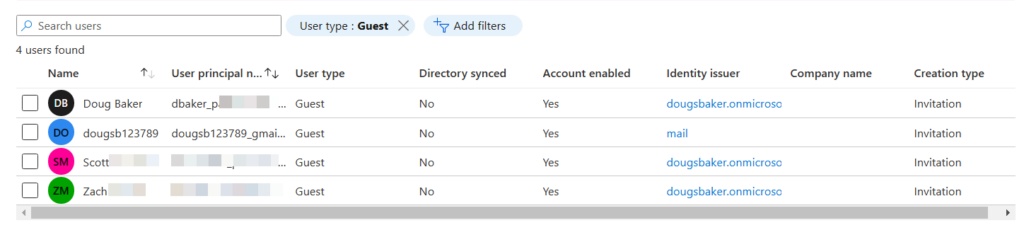
Security Benefit: If you enable the B2B integration, you will immediately get a better set of security controls over your guests. The biggest call out is that once you have enabled this, guests are subject to CA policy and all the controls we can do in CA. The largest of these control wins is the ability to MFA these guests. I was surprised to find out that accounts that did not have an AzureAD back(Gmail yahoo etc) defaulted to passcode over email and did not require MFA. The other win inside CA is you can require Terms of Service, this is especially helpful if you need a way for guests to provide consent for GDPR purposes.

Gotchas: The biggest gotcha I can see so far with enabling this is now these guests will show up in Azure AD. Previously if just using the SPO Experience they did not. So if you enable this you will probably get an influx of guests that begin showing in Azure AD. So we need to make sure we have Access Reviews / a cleanup process running regularly to remove these users.

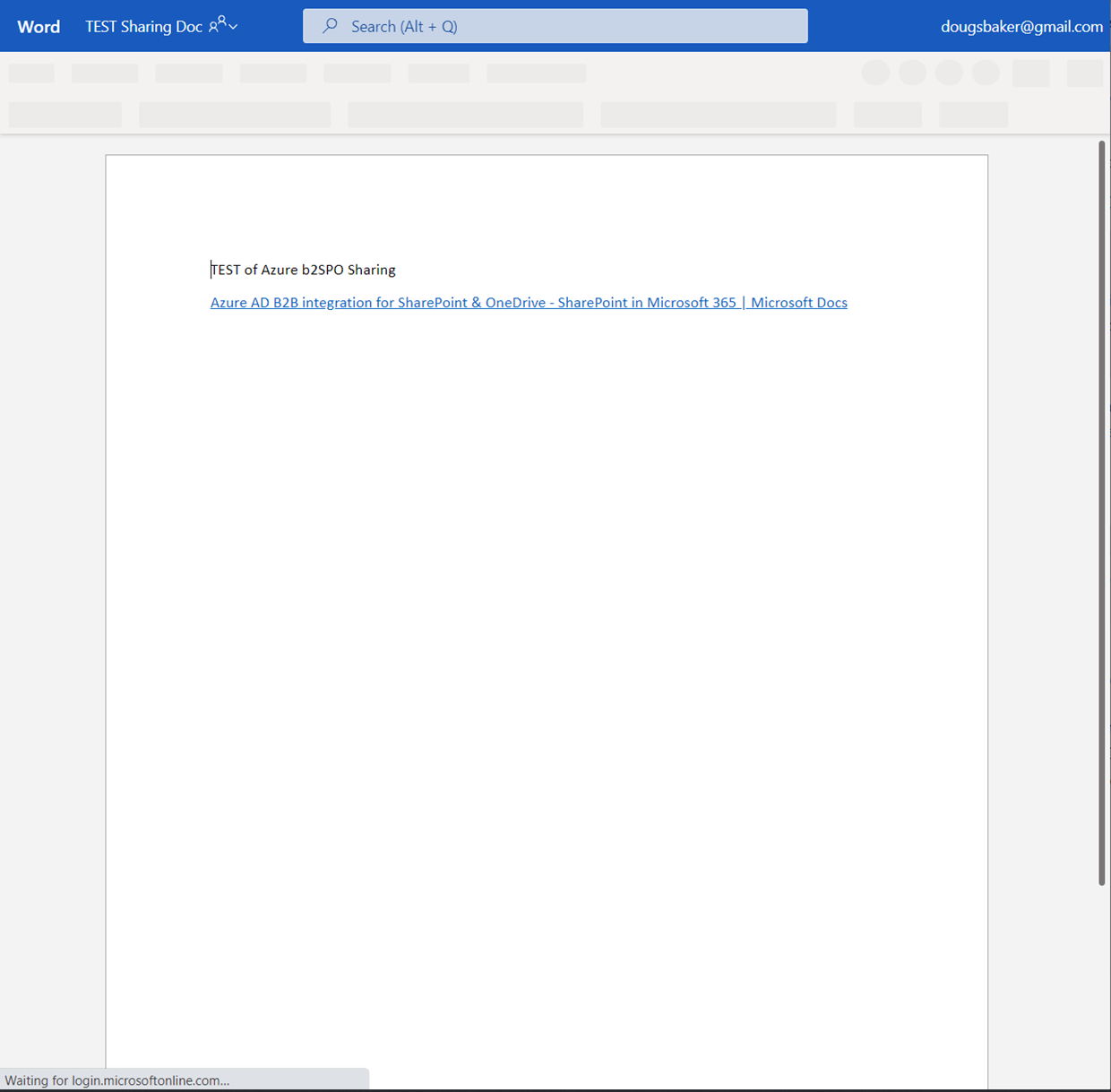
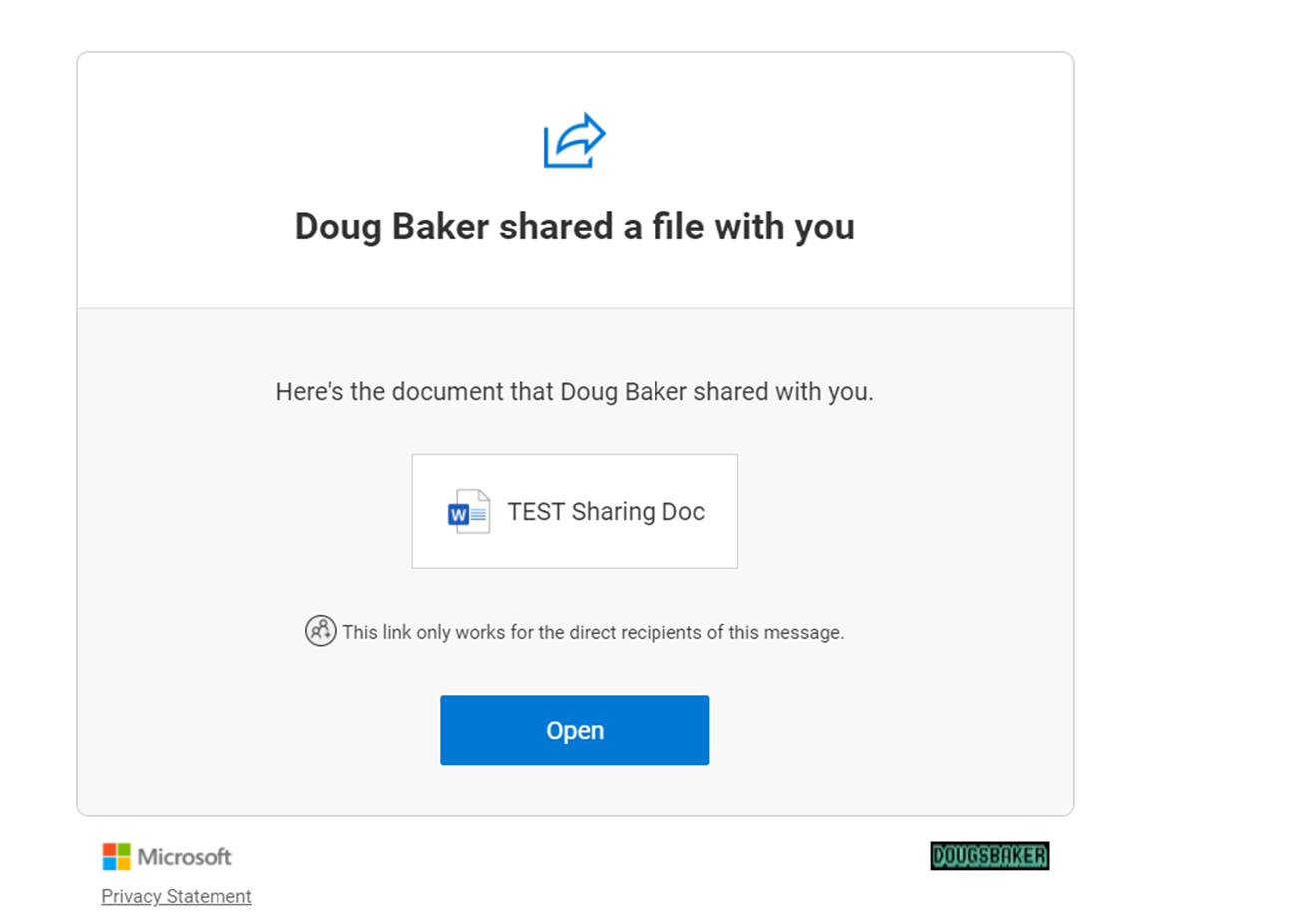
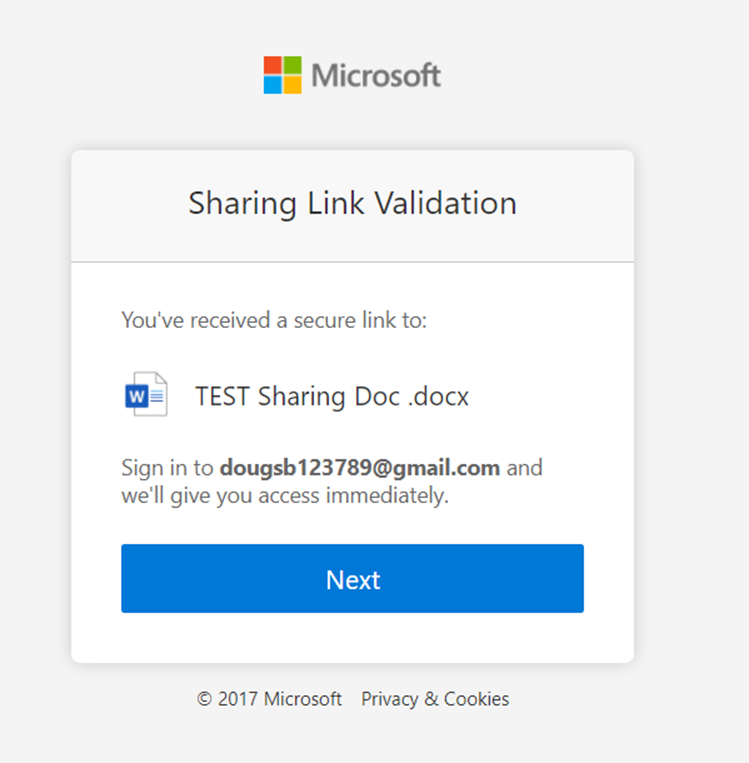
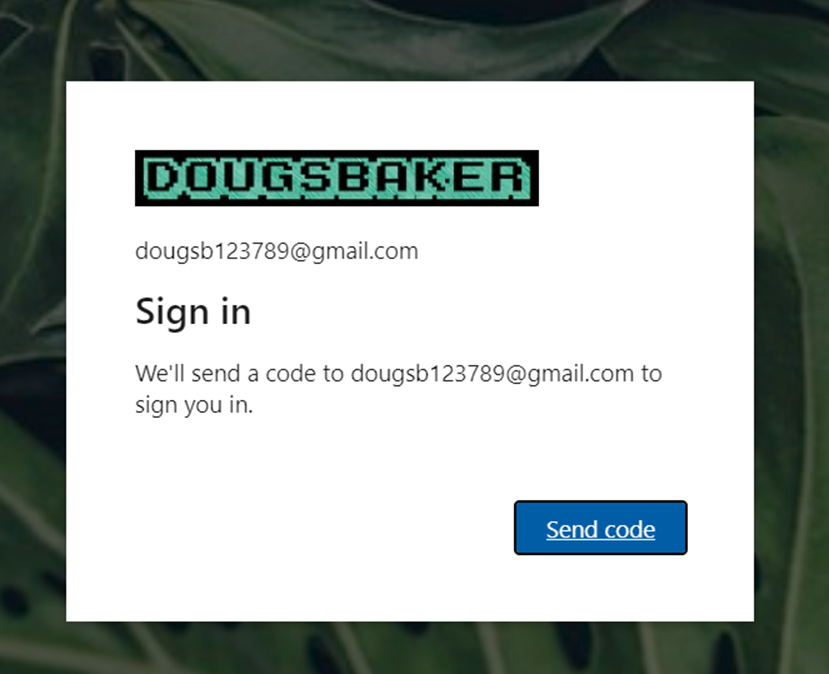
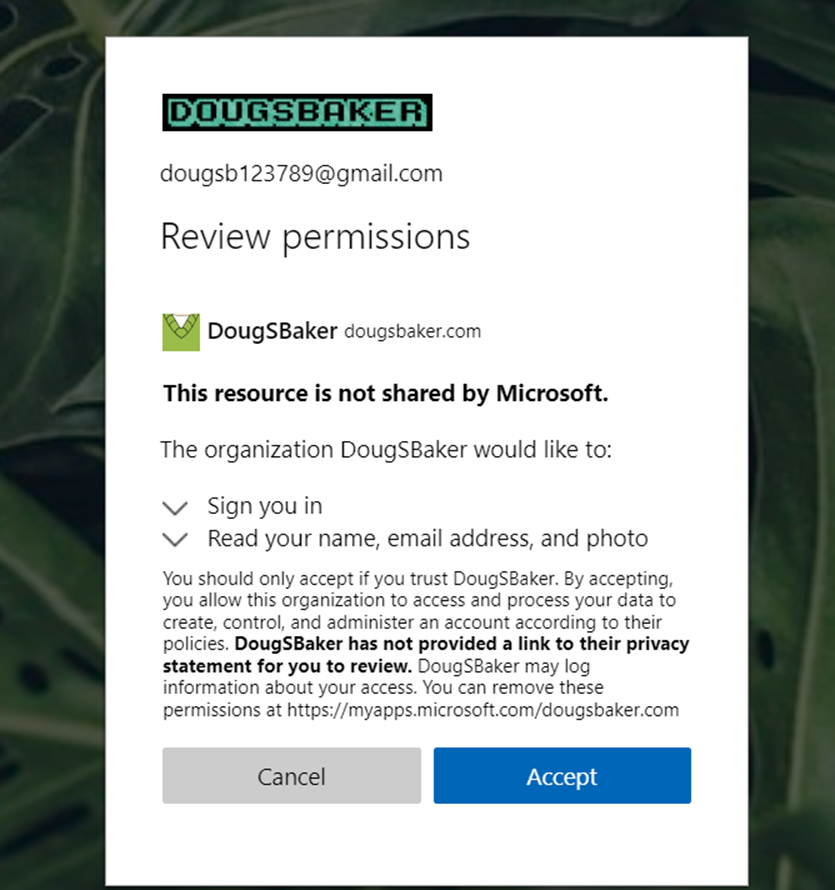
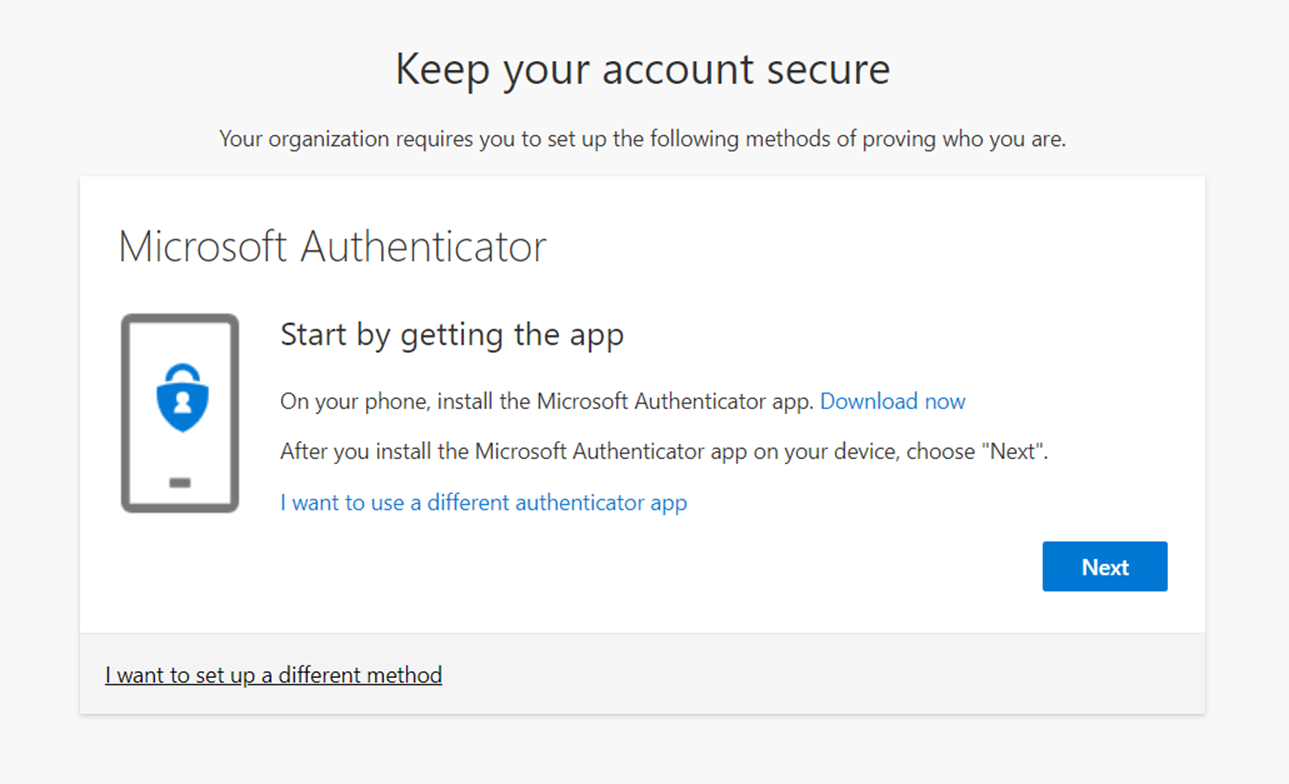
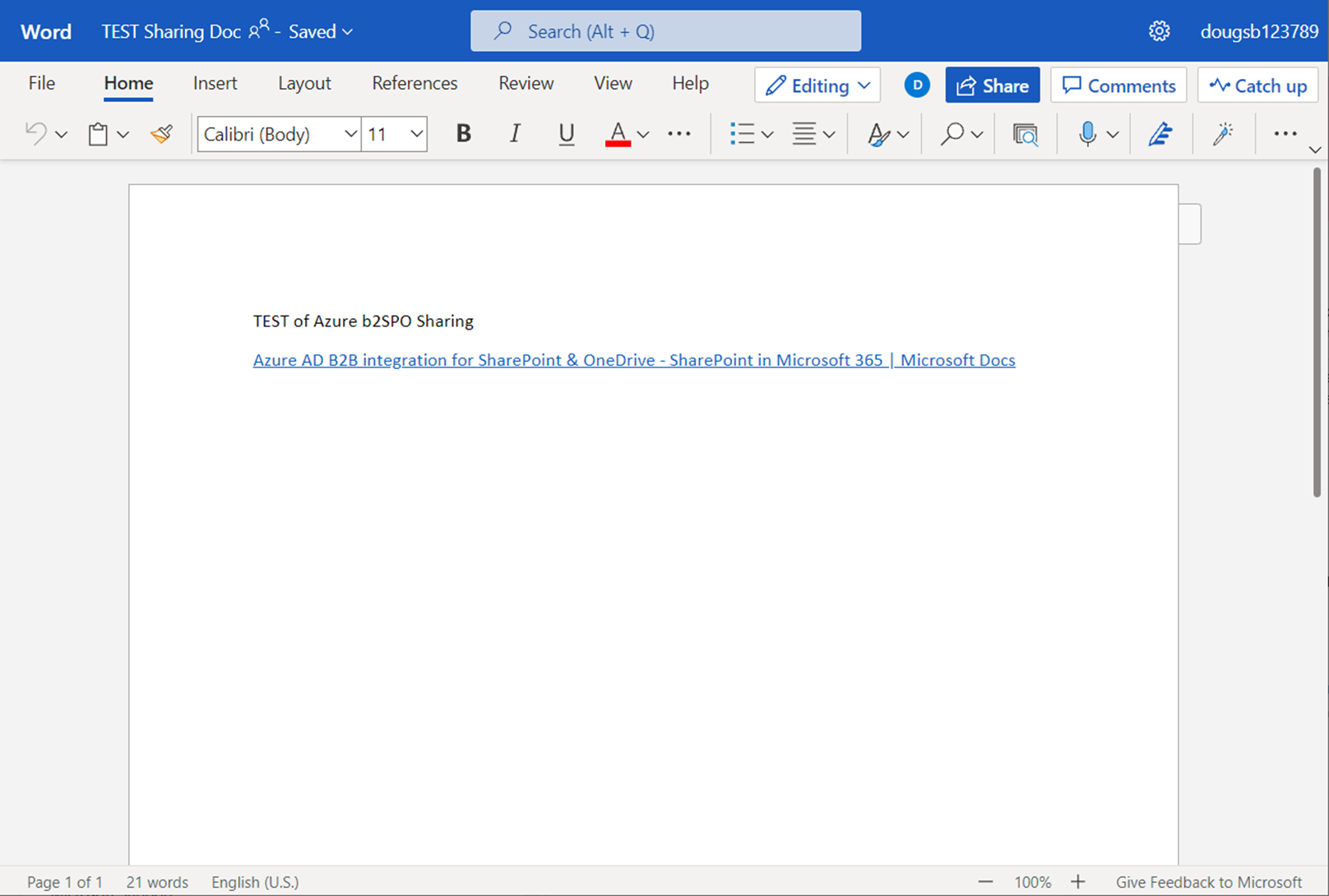
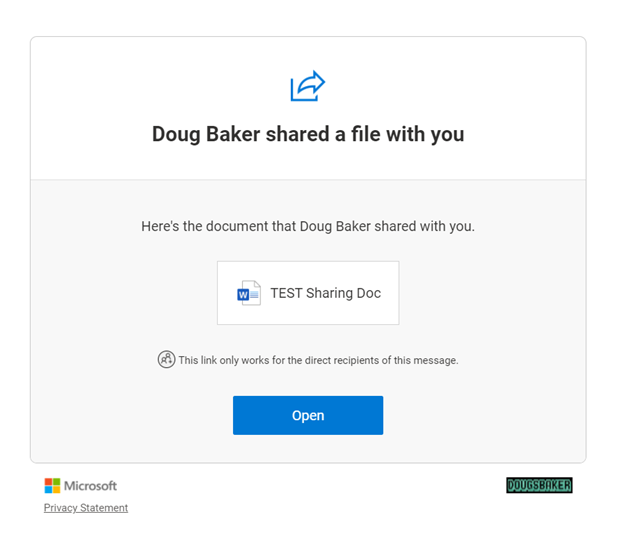
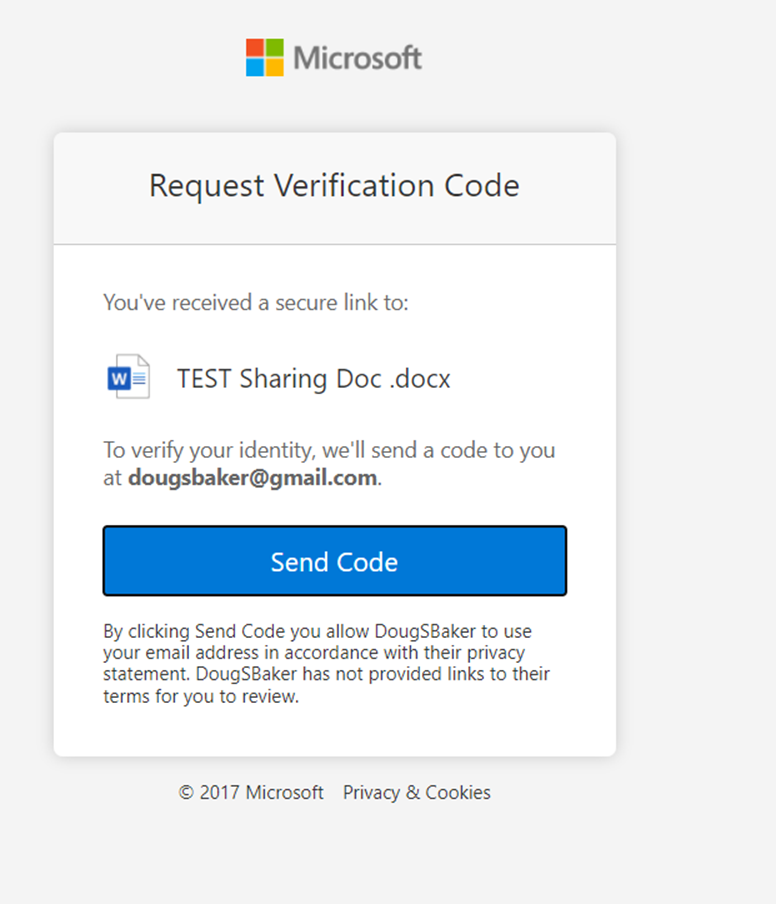
Guest User Experience: Below you will find a side-by-side comparison of the user experience. Overall for a guest, it is a slower experience, Especially if you have Conditional Access Policies in place requiring MFA. Again if you decide to move forward with the Azure AD B2B, consider also enabling External Identity providers.

Default ExperienceAzure AD B2B Enabled


Endpoint DLP PreReq Check

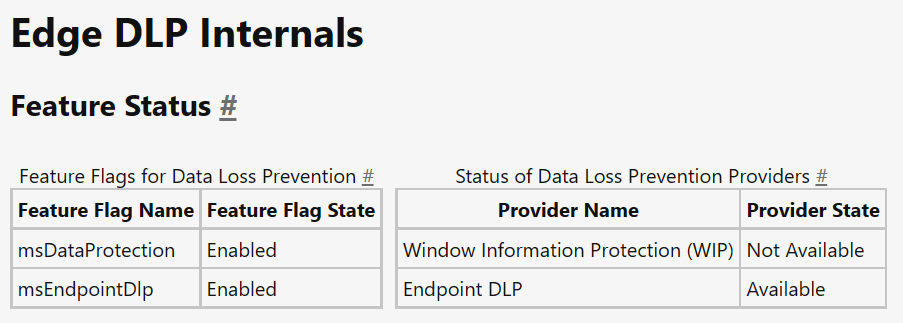
Looking to implement Microsoft’s Endpoint DLP? Concerned you haven’t met the prereqs for deployment? If you have that question then the first place you should check is the Edge URL’s. Microsoft has added a great little utility to help you identify the status of various DLP Utilities. Specifically in this case to check EndPoint DLP status you should visit edge://edge-dlp-internals/

Now, this is a great quick way to identify the status. However, it doesn’t really give us much info on what pre-req is making the product unavailable. I needed this detail recently so I wrote a quick PowerShell script to verify if my endpoint has met the pre-req’s and which one it failed on. If it helps you out Awesome! If it gives you an error let me know so I can help make the script better.

#===========================================================================
# Program: Check Defender status for Endpoint DLP
# Author: Douglas Baker
# Date: 2021-08-26
# Version : 1.0
# Note: https://docs.microsoft.com/en-us/microsoft-365/compliance/endpoint-dlp-getting-started?view=o365-worldwide#prepare-your-endpoints
#
#===========================================================================
#

write-host "Checking Prerequisits for Endpoint DLP"-ForegroundColor Green 
Write-Host "==========================================================" -ForegroundColor Green

$DefenderStatus = Get-MpPreference
$DefenderVersion = Get-MpComputerStatus

if ($DefenderStatus.DisableRealtimeMonitoring -eq $true) {
    Write-Host "Defender Real Time Monitoring is disabled, please enable before using Endpoint DLP" -ForegroundColor Red
} else {
    Write-Host "Defender Real Time Monitoring is enabled" -ForegroundColor Green
}
if ($DefenderStatus.DisableBehaviorMonitoring -eq $true) {
    Write-Host "Defender Behavior Monitoring is disabled, please enable before using Endpoint DLP" -ForegroundColor Red
} Else {
    Write-Host "Defender Behavior Monitoring is enabled" -ForegroundColor Green
}
if ([version]::Parse($DefenderVersion.AMServiceVersion) -le [version]::Parse('4.18.2009.7') ) {
    Write-Host "Defender AV needs to be updated, please updated AM client before using Endpoint DLP" -ForegroundColor Red
} else {
    Write-Host "Defender AV is on version that is supported by Endpoint DLP" -ForegroundColor Green
}
if( [Environment]::OSVersion.Version -lt (new-object 'Version' 10,0,17686) ) {
    write-host "Windows needs to be updated at least version 10x64 Build 1809" -ForegroundColor Red
} else {
    Write-Host "Windows is updated to a supported version" -ForegroundColor Green
}

$dsregcmd = dsregcmd /status
$aad = New-Object -TypeName PSObject
$dsregcmd | Select-String -Pattern " *[A-z]+ : [A-z]+ *" | ForEach-Object {
          Add-Member -InputObject $aad -MemberType NoteProperty -Name (([String]$_).Trim() -split " : ")[0] -Value (([String]$_).Trim() -split " : ")[1] -ErrorAction SilentlyContinue
     }

if ($aad.azureadjoined -eq "no") {
    Write-Host "Windows must be AzureAdJoined for Endpoint DLp to work. Please Join the device to Azure AD" -ForegroundColor Red
} else {
    Write-Host "Windows is AzureAdJoined" -ForegroundColor green
}

Defender for Identity Audit Deleted Objects

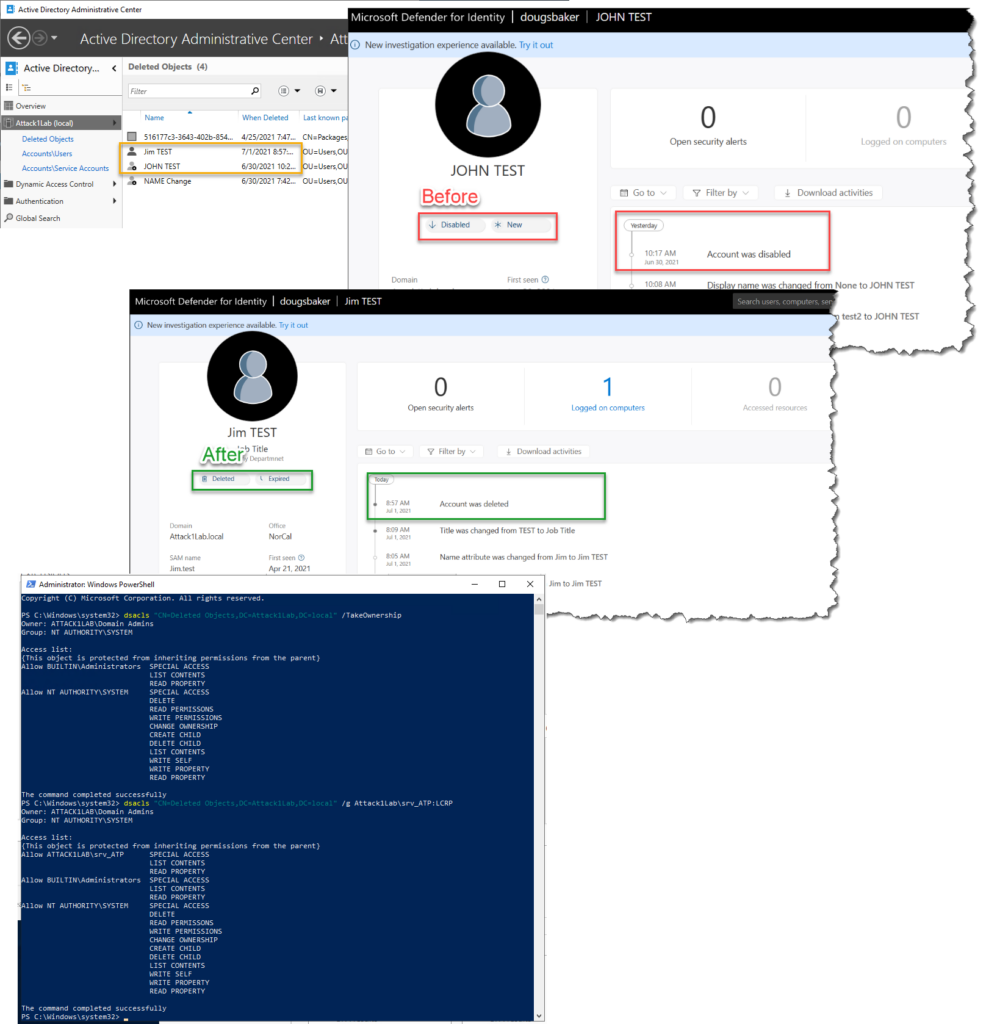
So recently I noticed in my new Server 2019 DFI lab I was not getting auditing when an object was deleted. This was curious to me as I have always in the past gotten this type of info from the product. Turns out there is one line I missed on pre-reqs that I have never run into it being an issue before.

Deleted Objects container Recommendation: User should have read-only permissions on the Deleted Objects container. Read-only permissions on this container allow Defender for Identity to detect user deletions from your Active Directory.

Microsoft Defender for Identity prerequisites | Microsoft Docs

I have always just blazed past this note because I go to the root level of the domain granted Read Acces to my service account. This works great everywhere except apparently the Deleted Objects Folder. Turns out that when you enable the Deleted Objects folder it does not by default inherit permissions. Well in this lab it the issue presented itself because I had actually gone in and enabled the AD Recycle Bin, but hadn’t done any customizations. Domain Admins had rights but no other accounts, including my Service Account. So Defender for Identity couldn’t see when an object was moved to that temp container.

You can identify if you have this issue by deleting a test AD account and wait for your portal to update. or by running the below command

#List permissions
dsacls "CN=Deleted Objects,DC=Attack1Lab,DC=local"

Well if you find you have this issue don’t be too alarmed fixing it is pretty easy.

#Give yourself Permissions to modify the container
dsacls "CN=Deleted Objects,DC=Attack1Lab,DC=local" /takeownership
#Give your DFI service account access to read items in the container
dsacls "CN=Deleted Objects,DC=Attack1Lab,DC=local" /g Attack1Lab\srv_ATP:LCRP
#if using GMSA make sure you single quote the command or powershell will convert it to a variable. 
dsacls "CN=Deleted Objects,DC=Attack1Lab,DC=local" /g 'Attack1Lab\gmsa-DFI$:LCRP'

Hope This helps!

Audit All Mailbox Activity

Note: Updated 11/12/2021 to include SearchQueryInitiated

Ever wanted to make sure you are auditing all available activities in Exchange Online? Me too! So I wrote a PowerShell to turn on logging for every possible item EXO can audit. Adjust to your liking and license level!

So why would you want this? Isn’t logging enabled by default in EXO? Well, sort of… According to MSFT documentation, not all available activities are enabled by default. Some of these may be inconsequential, like updating record tags, but some of these like moving an item to a folder or accessing a folder may paint an important picture of activities that happened in a mailbox. The other more important reason you would want to do this is I have noticed EXO does not always enable logging. A few times I have randomly found users with Audit logging disabled, or more commonly during license changes, E3 to E5 upgrades, not all of the Advanced Auditing turns on. Also just as a note to audit everything you will need some version of an E5, see KB articles above.

#Enable global audit logging
Get-Mailbox -ResultSize Unlimited -Filter `
 {RecipientTypeDetails -eq "UserMailbox" -or RecipientTypeDetails -eq "SharedMailbox" -or RecipientTypeDetails -eq "RoomMailbox" -or RecipientTypeDetails -eq "DiscoveryMailbox"} `
 | Select PrimarySmtpAddress `
 | ForEach {$_.PrimarySmtpAddress
    Set-Mailbox -Identity $_.PrimarySmtpAddress -AuditEnabled $true -AuditLogAgeLimit 180 `
    -AuditAdmin   @{add="ApplyRecord","Copy","Create", "FolderBind" , "HardDelete", "MailItemsAccessed",  "Move", "MoveToDeletedItems","RecordDelete", "Send", "SendAs", "SendOnBehalf", "SoftDelete", "Update", "UpdateCalendarDelegation", "UpdateComplianceTag", "UpdateFolderPermissions", "UpdateInboxRules"  } `
    -AuditDelegate @{add="ApplyRecord", "Create", "FolderBind" , "HardDelete", "MailItemsAccessed" , "Move", "MoveToDeletedItems","RecordDelete",  "SendAs", "SendOnBehalf", "SoftDelete", "Update",  "UpdateComplianceTag", "UpdateFolderPermissions", "UpdateInboxRules"  } `
    -AuditOwner  @{add="ApplyRecord", "Create", "HardDelete", "MailItemsAccessed", "MailboxLogin", "Move", "MoveToDeletedItems","RecordDelete", "Send",  "SoftDelete", "Update", "UpdateCalendarDelegation", "UpdateComplianceTag", "UpdateFolderPermissions", "UpdateInboxRules", "SearchQueryInitiated"  }
   }# #

#Double-Check It!
$FormatEnumerationLimit=-1
Get-Mailbox -ResultSize Unlimited | select Name, email, AuditEnabled, AuditLogAgeLimit, Auditowner, auditdelegate, AuditAdmin  | Out-Gridview

Find EOP – MDO Misconfig with KQL

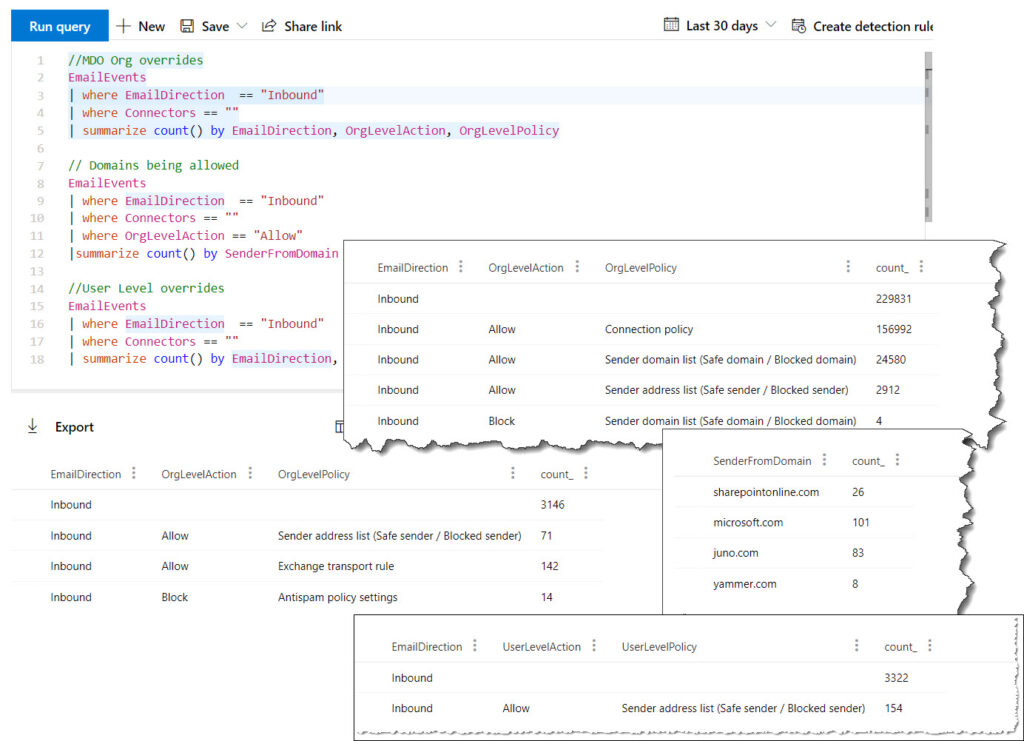
One of the biggest/most common misconfigurations I have seen with EOP/MDO is an overuse of IP or domain allow lists. MSFT has updated its guidelines to no longer recommend customers use those features. However, the hard thing is determining how many emails are coming into your environment without scanning due to those settings. I needed to document this the other day so I went and used the new Microsoft Security Advanced Hunting to get some stats on how big this issue was for my environment. Below are some KQL examples that might help you determine if this is an issue for your environment.

//MDO Org overrides
EmailEvents
| where EmailDirection  == "Inbound"
| where Connectors == ""
| summarize count() by EmailDirection, OrgLevelAction, OrgLevelPolicy

// Domains being allowed
EmailEvents
| where EmailDirection  == "Inbound"
| where Connectors == ""
| where OrgLevelAction == "Allow"
|summarize count() by SenderFromDomain

//User Level overrides
EmailEvents
| where EmailDirection  == "Inbound"
| where Connectors == ""
| summarize count() by EmailDirection, UserLevelAction, UserLevelPolicy

The above KQL is assuming emails that come from a connector should not be scanned. If you need that in this report make sure you just add it in!

Deploy MDATP Tags with Intune

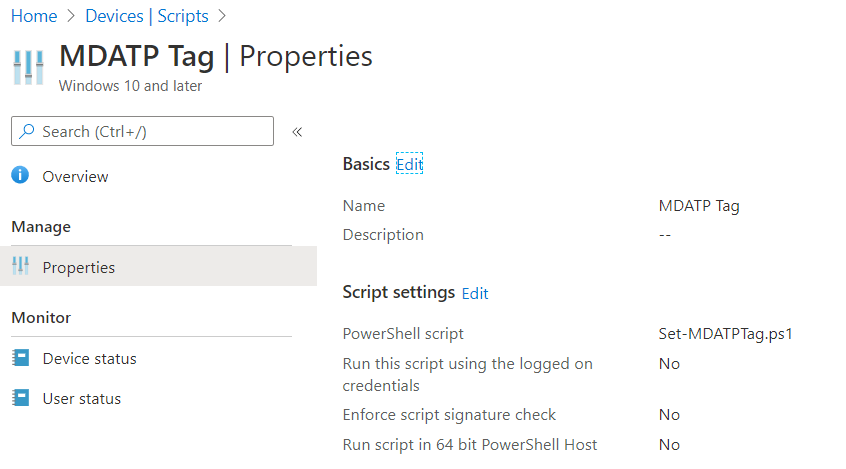
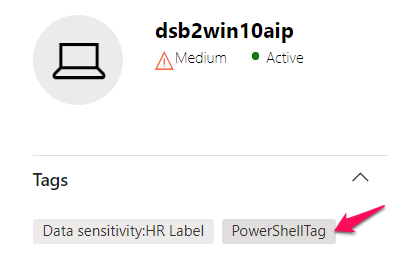
Do you feel its a little funny that Microsoft doesn’t have a built-in way to deploy MDATP tags Via Intune? Well, so do I! To get around this weakness I went and wrote a little Powershell script to help take care of it. Deploy it via intune script policy and you should be set/manage any regional tags you want in MDATP via intune.

Shout out to the Microsoft Scripting Guy Ed Wilson for the base code to update the values. https://devblogs.microsoft.com/scripting/update-or-add-registry-key-value-with-powershell/

$registryPath = "HKLM:SOFTWARE\Policies\Microsoft\Windows Advanced Threat Protection\DeviceTagging\"

$Name = "Group"
$value = "PowerShellTag"

IF(!(Test-Path $registryPath))

  {
    New-Item -Path $registryPath -Force | Out-Null
    New-ItemProperty -Path $registryPath -Name $name -Value $value -PropertyType String -Force | Out-Null}

 ELSE {
    New-ItemProperty -Path $registryPath -Name $name -Value $value -PropertyType string -Force | Out-Null}
Intune Settings

Let me know if there is an easier way to do this.

MDATP Portal

Cloud app security – admin changes alert

I really love Microsoft’s Cloud App Security tool. It is quickly becoming the one place I go to check all logs, as well as remediate any security issues with my Office 365 environments.

The hardest thing about this tool is out of the box it can be a little chatty- alerting you to too many things or not alerting you about the right things. One of the things I feel it doesn’t alert well on out of the box is admin elevations. This may be because Microsoft has other places they have standard alerts for this type of thing. But I really like having a single plane of glass for my security events and this is a big one I want to have visibility into. Below is a policy so you can add to be notified when admins are changed.

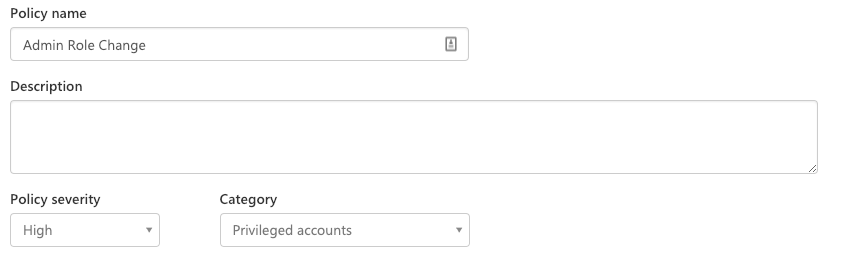
First, create a name and set the severity to high.

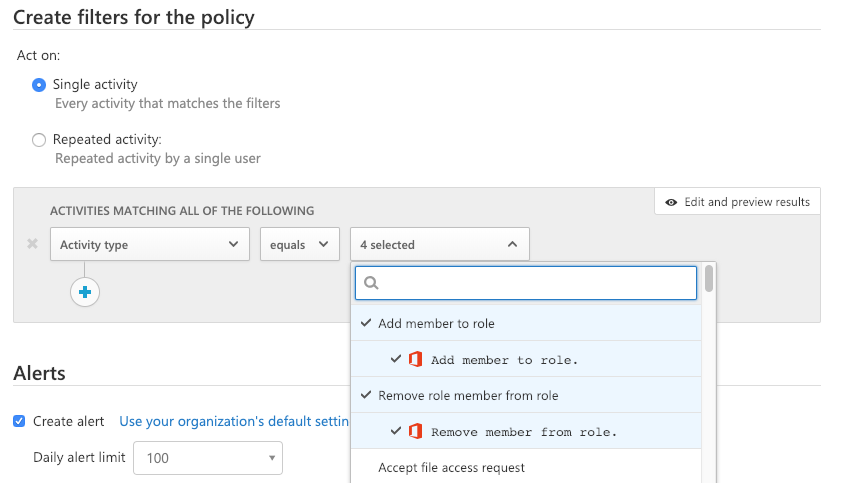
Next, we need to filter what activities, the ones I have found I want to be alerted on, is the following. These member roles are not well described from the drop down, but these are all the admin rights in Office 365. Security admin, billing admin, global admin, etc.. will trigger any time there is a change.

Once you have this set you can just save your policy and you are good to go. You should start seeing the alerts in the CAS portal anytime there is admin permission update.

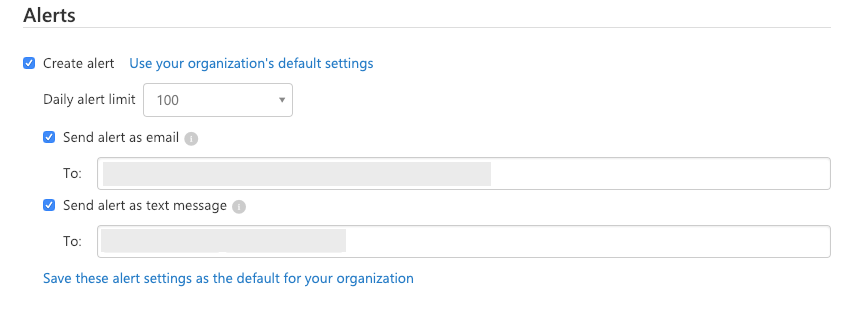
And here is an extra tip- I like to be notified in real time, so with CAS you can elect to get text messages notifications about these alerts as well as in an email. This way you make sure you are aware and can take action as soon as a change happens.