Had a lot of life updates since Covid, New Job, New Home all the Covid stuff. As life is starting to normalize again I am again thinking blogging would be fun! And maybe just maybe some of the stuff I post helps someone else. So my goal is to start publishing more on this blog site at least 1 a month. Since it didn’t happen in the past I am going to switch from in-depth blogs to short bite-size pieces of content. Which is really just anything I learn or find helpful, I am going to try and post.
Deploy MDATP Tags with Intune
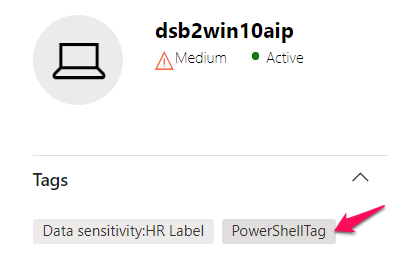
Do you feel its a little funny that Microsoft doesn’t have a built-in way to deploy MDATP tags Via Intune? Well, so do I! To get around this weakness I went and wrote a little Powershell script to help take care of it. Deploy it via intune script policy and you should be set/manage any regional tags you want in MDATP via intune.
Shout out to the Microsoft Scripting Guy Ed Wilson for the base code to update the values. https://devblogs.microsoft.com/scripting/update-or-add-registry-key-value-with-powershell/
$registryPath = "HKLM:SOFTWARE\Policies\Microsoft\Windows Advanced Threat Protection\DeviceTagging\"

$Name = "Group"
$value = "PowerShellTag"

IF(!(Test-Path $registryPath))

  {
    New-Item -Path $registryPath -Force | Out-Null
    New-ItemProperty -Path $registryPath -Name $name -Value $value -PropertyType String -Force | Out-Null}

 ELSE {
    New-ItemProperty -Path $registryPath -Name $name -Value $value -PropertyType string -Force | Out-Null}
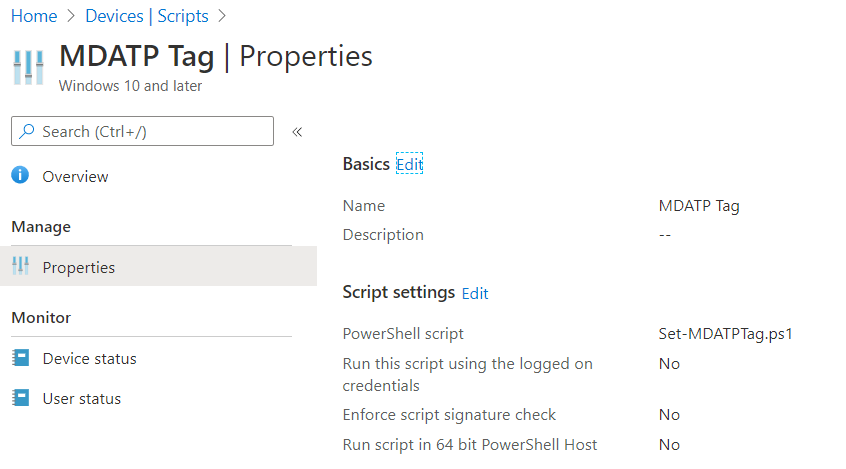
Let me know if there is an easier way to do this.